
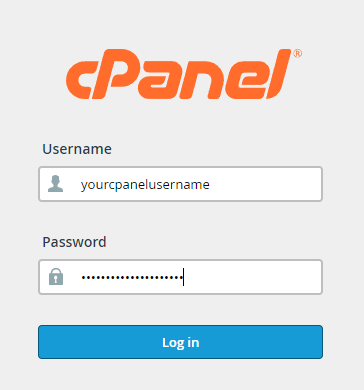
To login to your cPanel account, you can login via
- https://yourdomain.com.au/cpanel (your actual domain) or;
- via MyToolbox.
Your cPanel username and password would have been sent to you in the email when you signed up with us, subject titled “New Account Information“. If you have misplaced this email, please contact us and we are happy to resend you this email.
Before contacting us
Please make sure that you are officially listed as an authorised account holder on your account. We cannot provide login information to individuals who are not the account owner or designated as authorised users on the account.
If your email is going via a filtered servers you need to make sure the email is correctly routed if the DNS is hosted by cPanel.
First, please login to your cPanel using either of the methods outlined above.
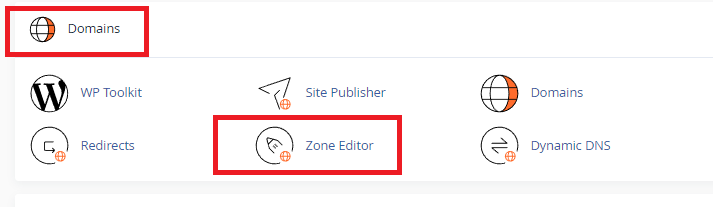
Then, scroll down to Domains and select DNS Zone Editor:
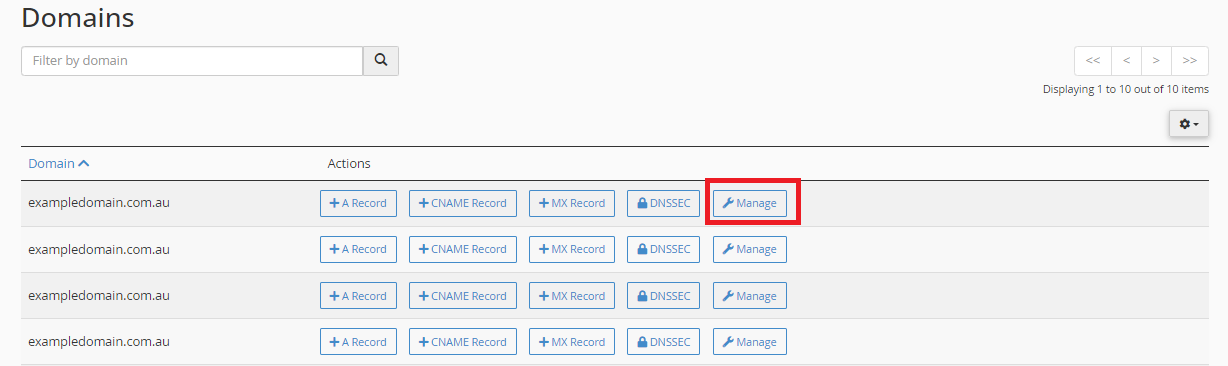
Find the domain name you want to update the MX Records for, and select Manage.
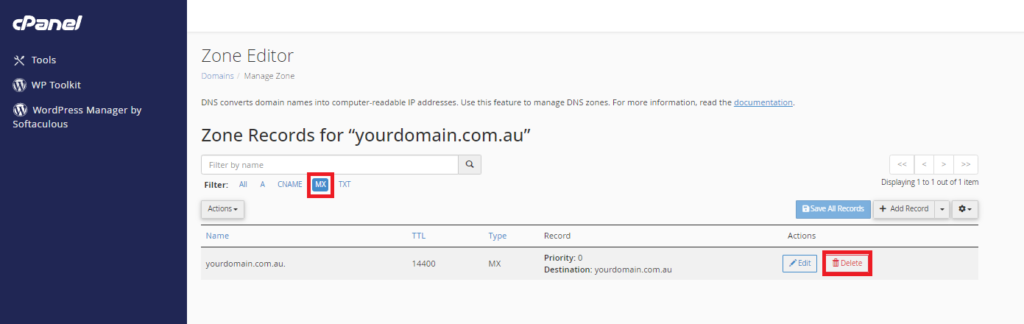
Then, under Filter select MX, so that only the MX records are showing. Now click Delete to delete the old MX records.
Now we can add the new records. To add a new MX record, click the arrow on the Add Record button, and then select Add “MX Record” from the dropdown menu.
You can now add the required mx record for your third party filter, once you are done, click Save Record or Save All Records if you have added multiple entries.

Very Important
You will need to select “Local Mail Exchanger” under email routing otherwise, the email would loop and the sender would receive an undeliverable message. You also need to make sure there is an A record setup. You can find this in Zone Editor and it is called mail.yourdomain.com.au with the IP of the final destination of the server.
In order to make sure mail gets sent from the server correctly, we also need to update the Email Routing.
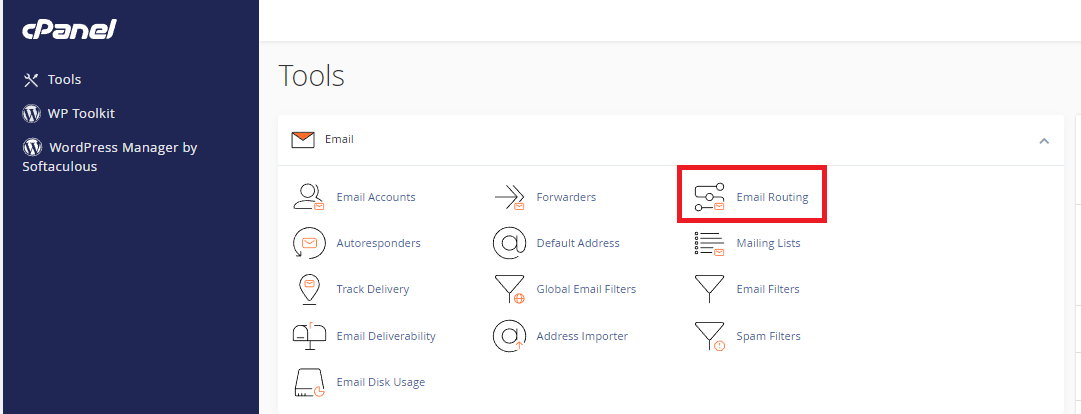
To do this, return to the cPanel home page, and under Email, select Email Routing.
Select the option that says “Remote Mail Exchanger”, and then click the “Change” button.
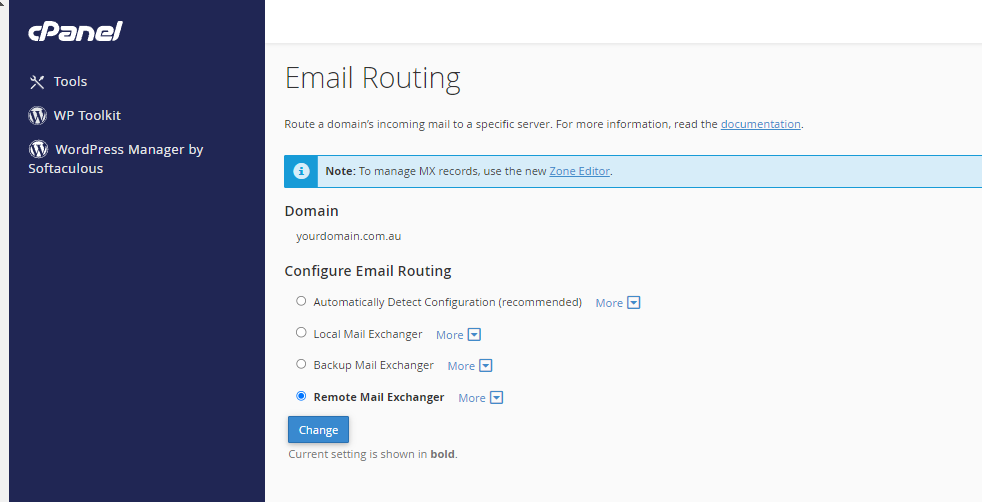
You have successfully updated your email routing settings, as well as your mx records. Your emails should now be flowing through your third party filter.